Docs / Get started
Quick start
Install open-diagram and draw your first diagram.
Install
pip install open-diagramFor the newest unreleased code: pip install git+https://github.com/lukendeasy/open-diagram.
open-diagram needs Python 3.9 or later and fontTools, which pip installs for you. To make PNG files it also needs Google Chrome, Chromium or Microsoft Edge. If yours is not in the usual place, set the CHROME environment variable to its path. The SVG is always written, browser or not.
For AI apps that use MCP, such as Claude Code: claude mcp add open-diagram -- uvx --python 3.12 --from "open-diagram[mcp]" open-diagram-mcp. Claude Desktop, Cursor and the agent skill are in AI agents.
Draw a diagram
from open_diagram import Diagram, Panel, Tile

d = Diagram("How a search request is answered", tag="EXAMPLE")
app = d.add(Panel("Web app", ["Search box", "Results page", "Filters"], footer="Owner: Web team"))
api = d.right_of(app, Panel("Search API", [Tile("Checks access"), Tile("Caches results", status="building")],
                            footer="Owner: Platform team"), align="center")
index = d.right_of(api, Panel("Search index", ["Product text", Tile("Spelling fixes", status="planned")],
                              status="planned"), align="center")
d.link(app, api)
d.link(api, index, kind="planned", label="new")
d.save("quickstart")   # writes quickstart.svg and quickstart.png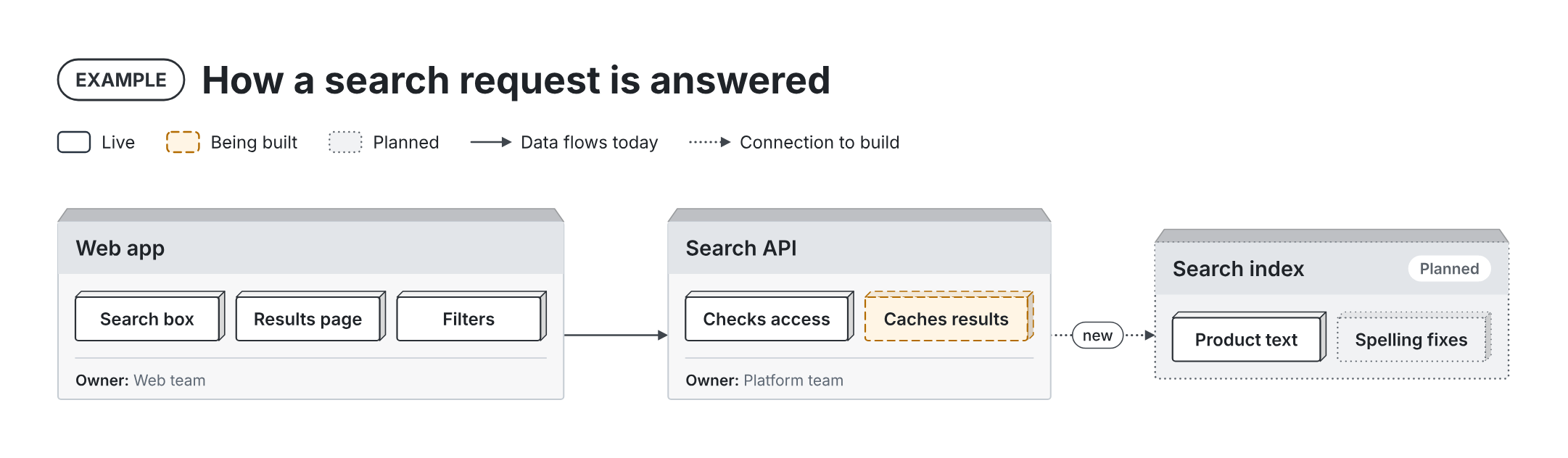
The key at the top lists only the statuses and line kinds the picture uses.