Text does not fit in a diagram box: how to fix it
The message means a block's words need more width than the width you set, so open-diagram drew it wider than you asked.
Updated
from open_diagram import Diagram, Panel


def build():
    d = Diagram("Parcel service")
    hub = d.add(Panel("Sorting hub", ["Scan parcels", "Weigh parcels"]), 0, 0, width=200)
    vans = d.right_of(hub, Panel("Vans", ["Morning round"]), width=200)
    d.link(hub, vans)
    return d
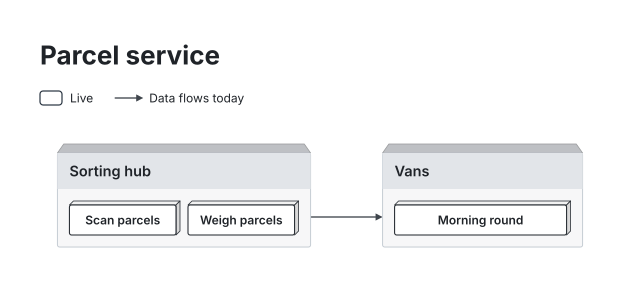
The check: 1 layout problem(s)
'Sorting hub' needs 253 px wide but was given 200; using 253Why does it happen?
A width given to add(), right_of() or below() can stretch a block, never shrink it. Every block measures its own words from the font before open-diagram places it.
Here the two blocks were meant to match at 200 px. The tiles in Sorting hub need 253 px, so it comes out 53 px wider than Vans.
In JSON, a panel's width also only widens it, but reports nothing, so this message comes from Python.
How do I fix it?
Shorten the words, or give the block the width they need.
- Shorten the words in the block's title or tiles. For longer detail, a tile can carry a second line in
sub. - Or set
widthto the number the message names, or more. - Or leave
widthout, so each block takes the width its words need. - Run the check again.
Here the tile labels drop the word "parcels". Both blocks come out at 200 px, and the check reports 0 layout problems:
from open_diagram import Diagram, Panel


def build():
    d = Diagram("Parcel service")
    hub = d.add(Panel("Sorting hub", ["Scan", "Weigh"]), 0, 0, width=200)
    vans = d.right_of(hub, Panel("Vans", ["Morning round"]), width=200)
    d.link(hub, vans)
    return d
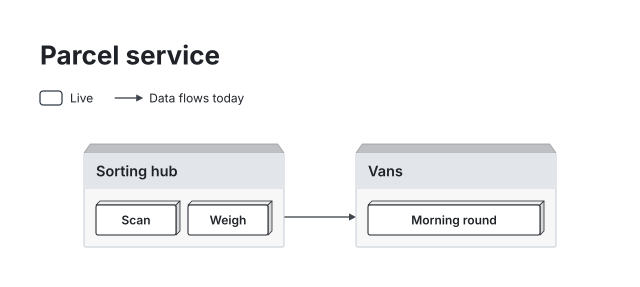
The check: 0 layout problems